
Releases
Download PerkBridge Connect.
Every release is signed with the PerkBridge release key. Most people need only the desktop installer for their computer: it connects to your Ubuntu server over SSH and installs everything there.
Which file do I need?
Downloads
Latest release
Desktop installer
From your laptop to a running dashboard
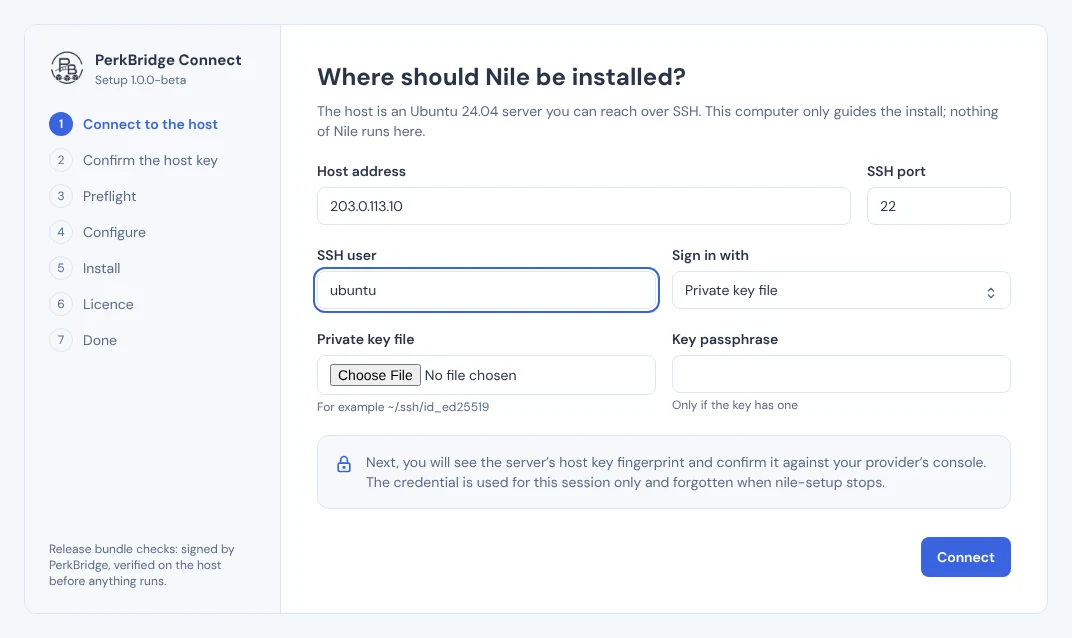
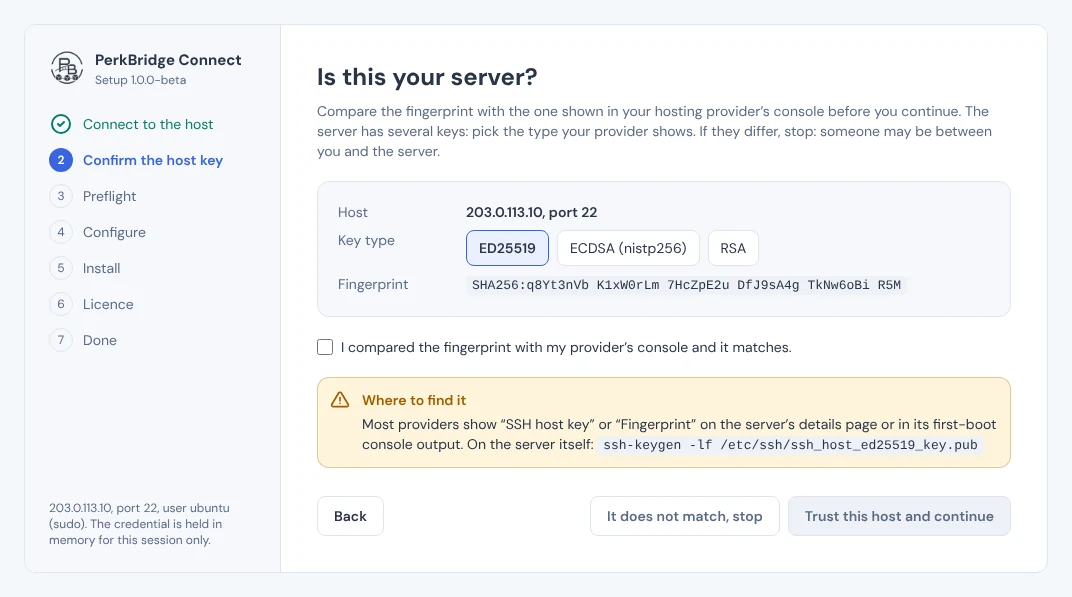
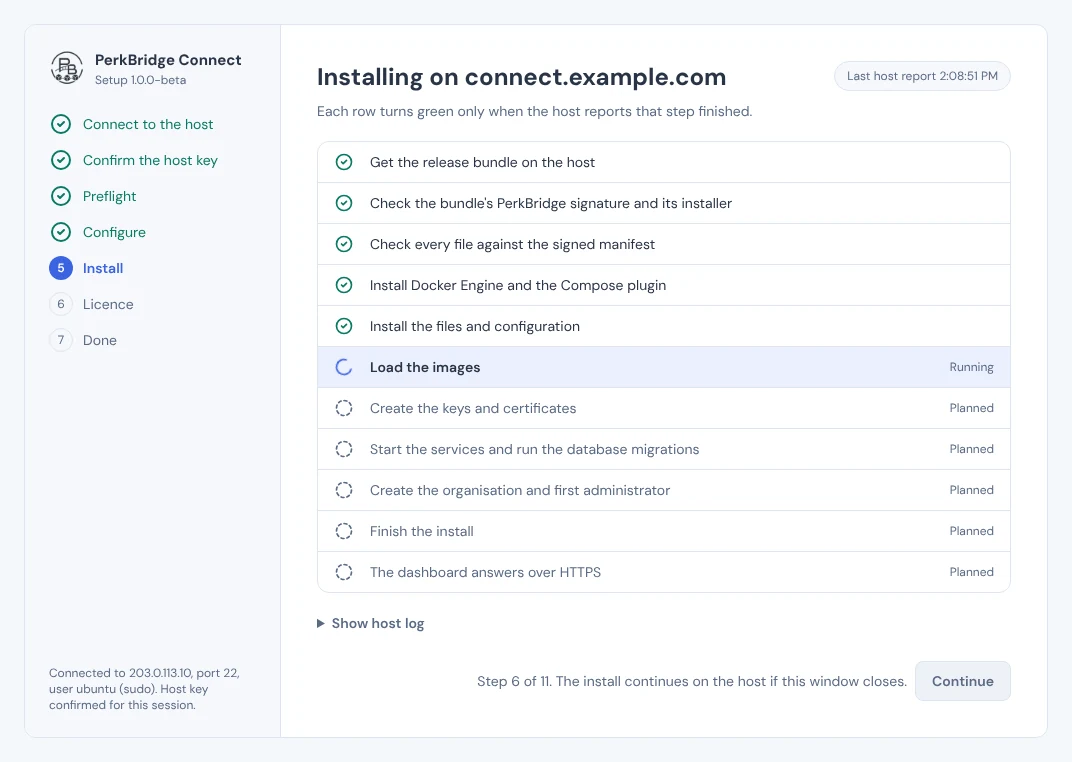
Enter the server's address and SSH sign-in, confirm its host key, and the installer checks the server, downloads the signed bundle there and installs. The installation guide shows every screen.
Verify a download
Check it before you run it
Download the file you need together with SHA256SUMS, SHA256SUMS.sig and allowed_signers, into one folder. The signature check must print Good "setup@nile.perkbridge" signature for release@nile.perkbridge, and the checksum line for your file must say OK. If either fails, delete the download.
Take the release key from this page, never from inside a download. Key ID: perkbridge-release-1.
release@nile.perkbridge namespaces="install@nile.perkbridge,setup@nile.perkbridge" ssh-ed25519 AAAAC3NzaC1lZDI1NTE5AAAAILSNt1/bOrvWtbWGkdXYPh6k9r8YhRCSUbKNIrYTlsQL
ssh-keygen -Y verify -f allowed_signers -I release@nile.perkbridge \
  -n setup@nile.perkbridge -s SHA256SUMS.sig < SHA256SUMS
sha256sum --ignore-missing -c SHA256SUMS      # macOS: shasum -a 256 --ignore-missing -c SHA256SUMS
cmd /c "ssh-keygen -Y verify -f allowed_signers -I release@nile.perkbridge -n setup@nile.perkbridge -s SHA256SUMS.sig < SHA256SUMS"
Get-FileHash .\nile-setup-<version>-windows-amd64.exe -Algorithm SHA256
# compare the hash with its line in SHA256SUMS