
Python strategies
Upload your Python strategy and PerkBridge runs it as a container on one of your servers, next to the trading terminals. It gets its own account tokens, typed parameters and sealed secrets, versions you can switch and roll back, events that start it, and Logs, Orders and Metrics in the dashboard.
1. What a strategy is
A strategy is your Python code, packed as a zip, that PerkBridge runs for you on one of your managed servers. You upload it in the dashboard (or from your CI pipeline), choose the trading accounts it may use, and press Start. PerkBridge then:
- installs your requirements.txt into an environment of its own, beside the version that is running, so a new version never breaks the old one while it installs;
- starts the code in an isolated container with the perkbridge-connect library already inside;
- gives it one API token per trading account, read-only or trading, in a file. Your code never holds a broker password and never creates a token;
- passes your parameters and secrets (a Telegram bot token, for example) without putting them in the zip;
- fires the events you connect: a schedule, a trading event such as a fill, a webhook from TradingView, or Run now;
- restarts the code after a crash, with a back-off, and shows its Logs, Orders and Metrics.
2. What you need
| YOU NEED | WHERE |
|---|---|
| A licence with the strategies feature | Settings → License. Without it the Strategies and Events menu entries are hidden. The licence also sets how many strategies you can create. |
| A Linux server with a connected agent, set up with credential delivery | Servers added with 1.2.0-beta have it. An older server: run Run setup again on it first (below). |
| Strategies switched on for that server | Strategies → Servers, the switch next to the server. |
| An approved Python runtime image | Servers → Images: approve nile-python-runtime. |
| A trading account the strategy may trade | See Deploy a trading account. Start with a demo account. |
The people who work with strategies need these permissions. An administrator has all of them; an operator can read and manage strategies; a viewer can only read them.
| WHAT | PERMISSION |
|---|---|
| See the Strategies and Events pages, logs, metrics and versions | strategy:read |
| Create, upload, start, stop, edit the spec, set secrets, create deploy tokens | strategy:manage on the server |
| Remove a strategy | strategy:remove, in addition |
| Create, change, fire and delete events | event:manage |
| Give a strategy an account | trading:tokens, plus the right to read (and to trade, for a trading token) that account. strategy:manage alone never lets anyone use an account they could not use themselves. |
| Switch strategies on for a server | server:provision on that server, and a recent sign-in |
Switch strategies on for a server
Open Strategies → Servers. Each managed server is listed with its state. Turn the switch on next to the server that should run strategies. The server's updater writes the setting and restarts the agent once; running terminals keep running. A strategy can only be created on a server where the switch is on.
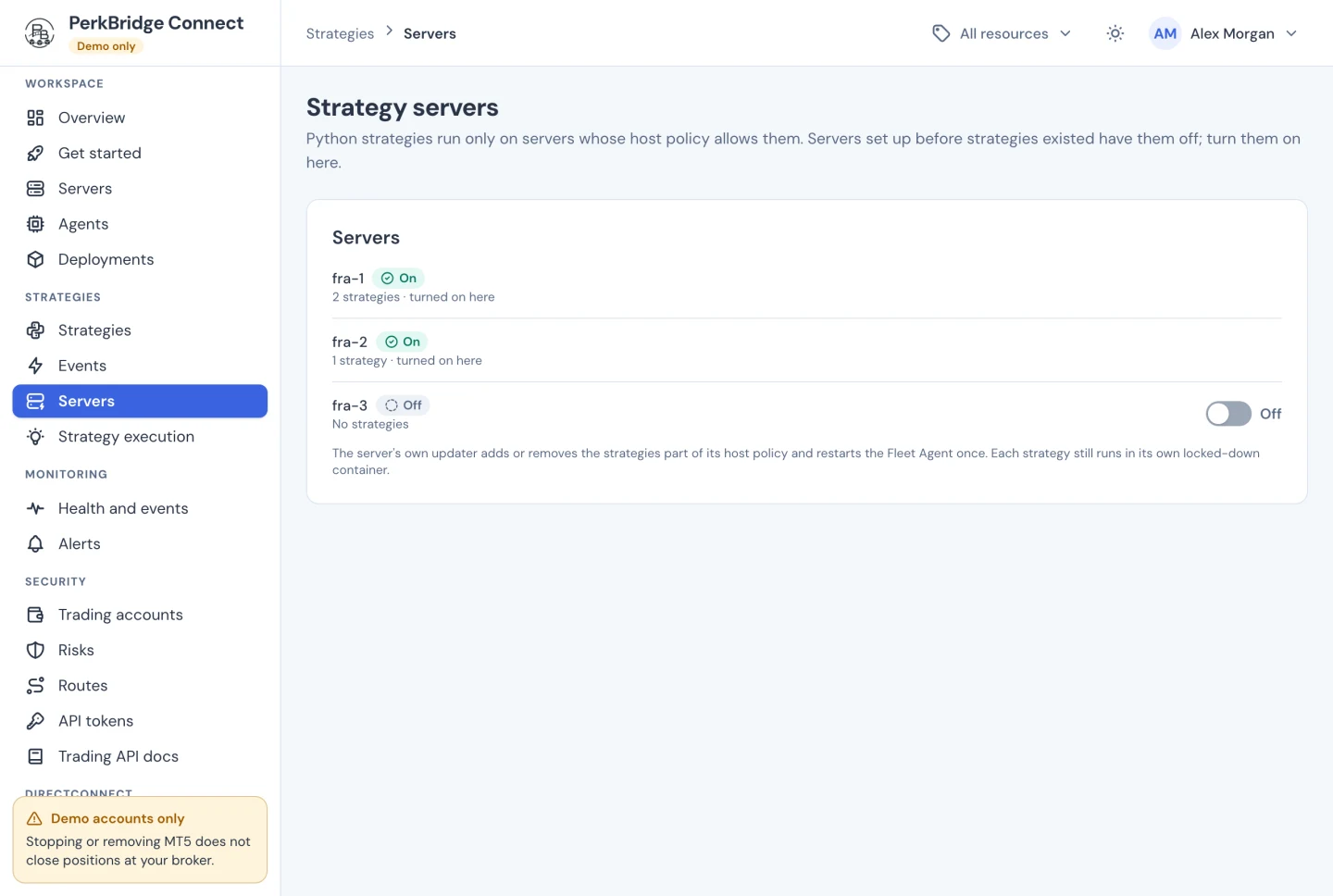
A server set up before 1.2.0-beta. Open Servers → your server → Setup and press Run setup again. It brings the agent, watchdog, vault and updater to the current release, keeps the server's policy and leaves running terminals running. Then turn on the switch.
3. Write the strategy
A strategy is a zip of at most 50 MiB with main.py at its root (or inside one top folder) and a requirements.txt. The container runs main.py with Python 3.12. The perkbridge-connect library (1.4 or later) is already installed in the image, so you don't list it. More event examples are in the library guide.
Here is a complete main.py: a moving-average cross that runs every five minutes, takes its symbol and size from the dashboard, and also trades on a webhook signal.
And its requirements.txt. Pin every line with ==: an unpinned line installs whatever version is newest on the day the server installs it, so two installs could differ. The upload warns about unpinned lines.
Things to know when you write the code:
- Packages are installed from PyPI as wheels only. Nothing is compiled on the server; a package that has no wheel for Linux x86-64 and Python 3.12 fails the install, and the install log says which.
- Make the code safe to run twice. A restart starts main.py from the beginning. The library's order keys and journal make a repeated order return the first one instead of placing a second (see Python library).
- Keep state in ctx.state or under /var/lib/perkbridge. Those survive restarts and new versions. The rest of the container is read-only, except /tmp.
- Every order is labelled. Each order the strategy places carries the label ema-cross_v3 (name and version). The platform sets it from the token, so code cannot pretend to be another strategy, and the dashboard can show one strategy's orders across all its versions.
Try it on your computer first
The same file runs on your computer with the library and an API token, which is the quickest way to find mistakes before you upload. Give the parameters in a properties file (params.symbol = EURUSD, and so on) and use --check to test the configuration without trading:
4. The strategy file
The settings of a strategy live in its strategy file: accounts, events, parameters, configuration and resources. You edit it on the strategy's Spec tab, as a form or as YAML, or ship it as strategy.yaml in the zip. Every change is saved as a revision with who changed it and when, and takes effect at the next start, restart, switch or deploy.
| KEY | MEANING |
|---|---|
| schema | Always perkbridge.strategy/v1. |
| name | Lower-case letters, digits and dashes, 2 to 48 characters. It is part of every order's label. |
| entry, python | The file to run (default main.py) and the Python version (only "3.12" for now). |
| resources | Memory and CPU limits of the container. |
| restart | Restart after a crash, and at most how many times per hour (section 9). |
| config | Library settings such as schedule.timezone and log.level; at most 100 keys. Connection and account settings are set by the platform and are refused here, and so are secrets. |
| events | Up to 16 events, each with a handler: on_run (schedules only) or on_event (section 6). |
| params | Up to 64 typed parameters (section 5). |
| accounts, default_account | 1 to 16 accounts. alias is the name in your code, account_id the PerkBridge account, token_mode read_only (default) or full. The default account is the one ctx.buy() trades. |
With two accounts, your code reaches the second one by its alias:
The server is not in the file: you choose it when you create the strategy. Account ids are in the file, so if you keep the code in a public repository, leave strategy.yaml out of the zip and set the accounts on the Spec tab instead. An upload without a strategy file uses the latest revision.
5. Parameters and secrets
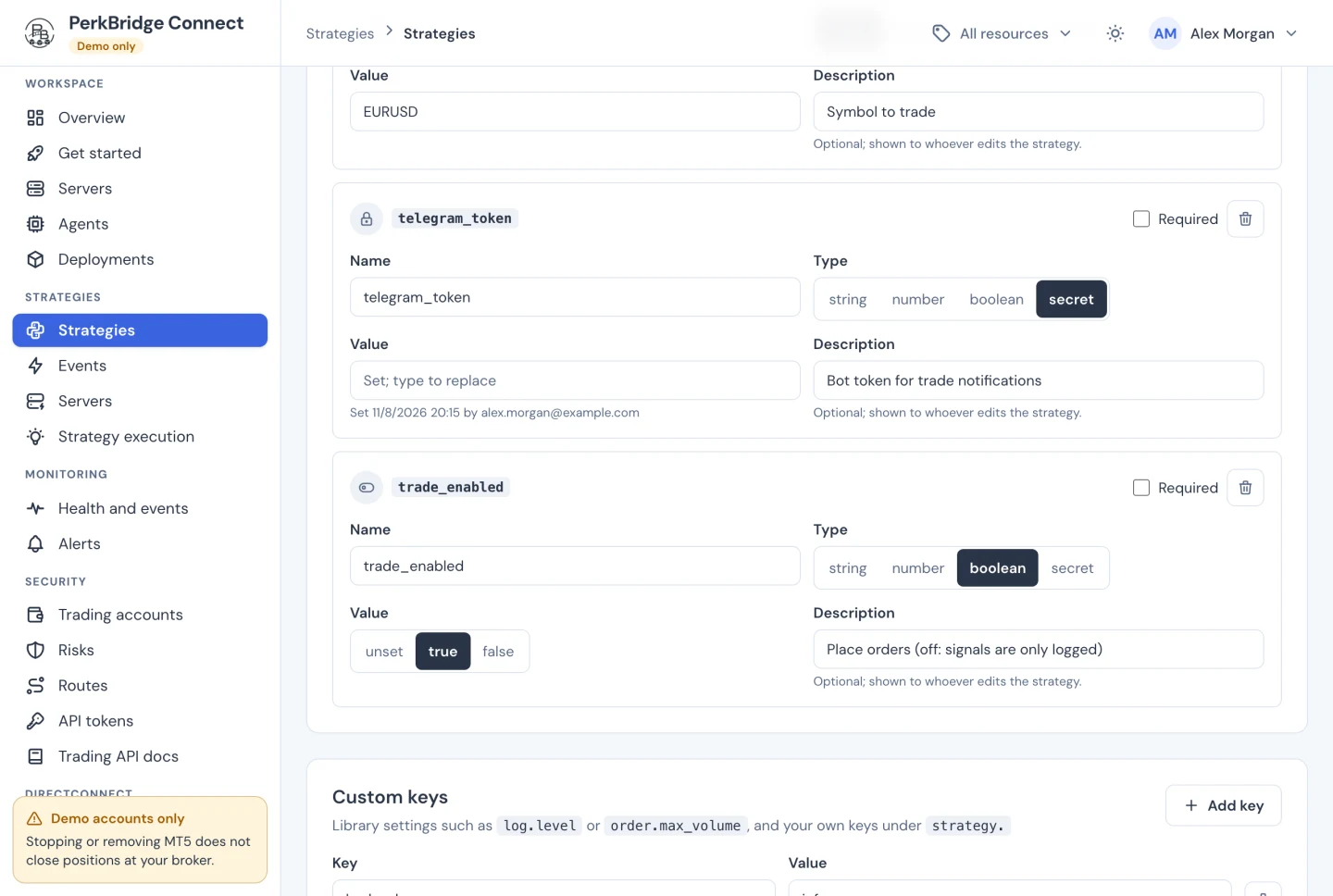
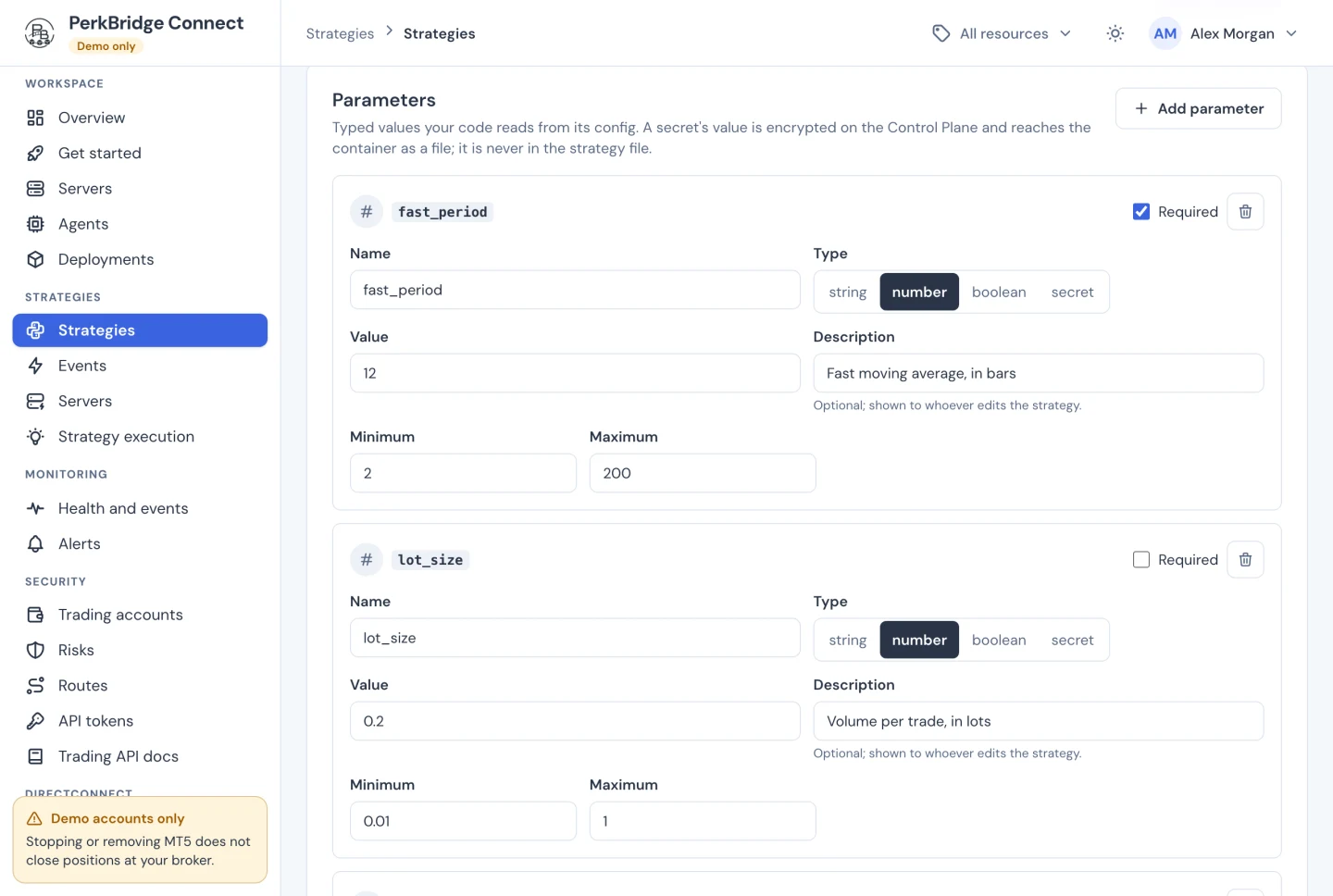
Parameters let you change a strategy's behaviour from the dashboard without a new upload. Each one has a type, and the dashboard shows the right field for it:
| TYPE | FIELD | IN YOUR CODE |
|---|---|---|
| string | Text, up to 4 KiB (or max_length) | ctx.params.symbol is a str |
| number | Number, with optional min and max | int for whole numbers, Decimal otherwise |
| boolean | Switch | bool |
| secret | Password field; the value is never shown again | str, read from a file at start, never printed by repr |
Secrets never go in the strategy file or the zip. Set the value on the Spec tab (or with PUT /v1/strategies/{id}/secrets/{name}). The control plane encrypts it at rest and only sends it, sealed to that server's agent, when the strategy starts. In the container it is a file under /run/secrets/params/, removed from disk once the strategy has started; the library reads it at start. A secret marked required that has no value stops the strategy from starting, with secret_missing:telegram_token.
Where the tokens and settings are in the container, if you want to read them yourself:
| PATH | WHAT |
|---|---|
| /run/secrets/perkbridge_token | The default account's token (also named by PERKBRIDGE_CONNECTION_TOKEN_FILE) |
| /run/secrets/perkbridge_token_<alias> | The token of each account, by alias |
| /run/secrets/params/<name> | Each secret parameter |
| $PERKBRIDGE_CONFIG, $PERKBRIDGE_PLATFORM_CONFIG | Your configuration, and the platform's own settings |
Tokens are replaced in place before they expire, so read the file when you connect, not once at start; the library does this for you. Tokens are blanked out of the logs the dashboard shows, and stopping or removing a strategy revokes them.
6. Events: what starts your code
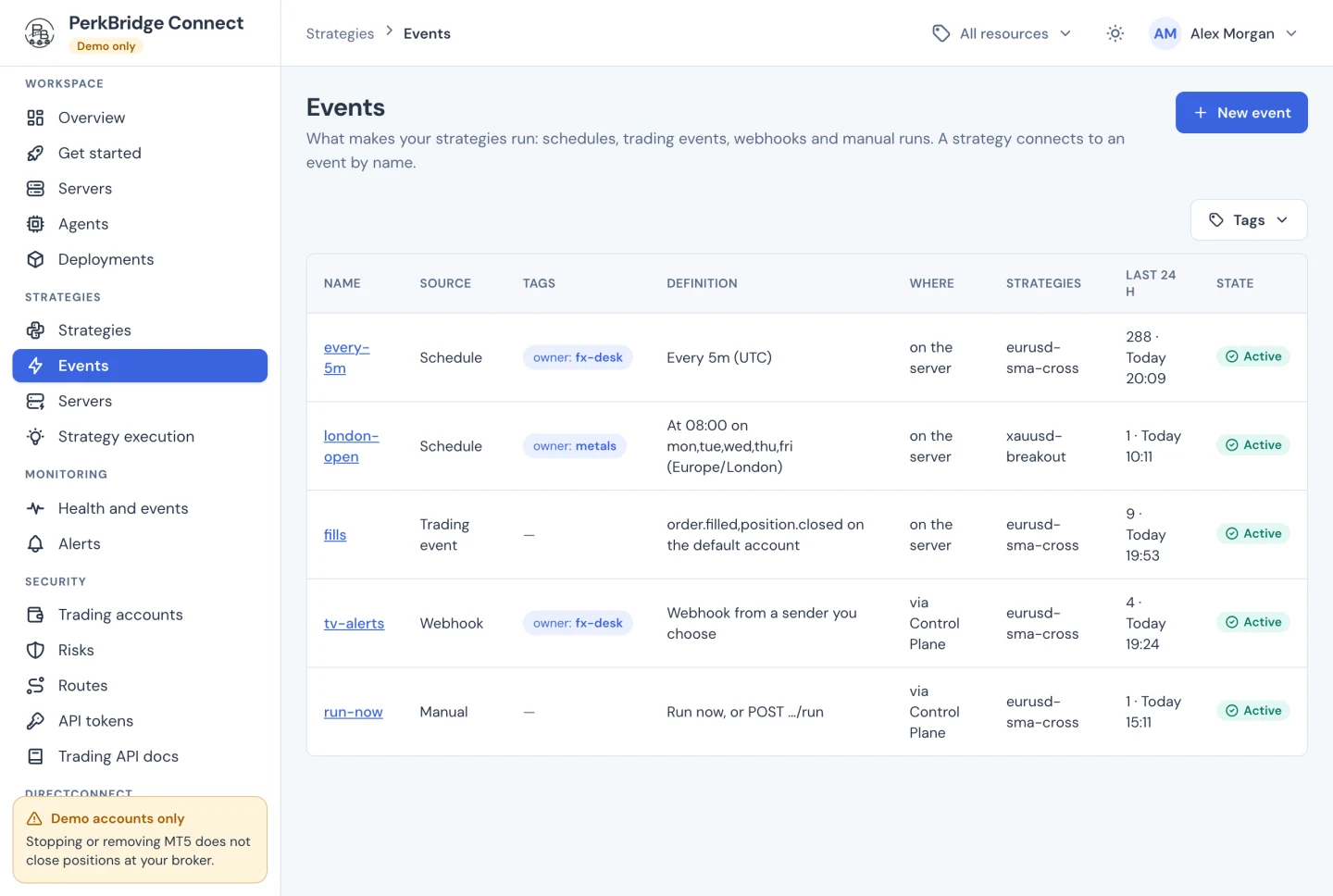
An event is something that calls your strategy. You define events once under Events and connect them to one or more strategies, each with a handler. There are four sources:
| SOURCE | FIRES | WHERE IT IS EVALUATED | HANDLER |
|---|---|---|---|
| Schedule | Every N seconds/minutes, at fixed times on chosen weekdays, or on a cron expression, in a time zone, optionally only in market hours | Inside the container: keeps firing while the control plane is unreachable | on_run or on_event |
| Trading | On trading events of the strategy's accounts: order.filled, position.closed, halt.updated, … | Inside the container, from the account's event feed | on_event |
| Webhook | On an HTTP POST to an address PerkBridge makes for you | Through the control plane, delivered at least once | on_event |
| Manual | When someone presses Run now, or calls POST /v1/strategies/{id}/run | Through the control plane, delivered at least once | on_event |
Schedule examples
| WHAT YOU WANT | DEFINITION |
|---|---|
| Every 5 minutes, on the clock (10:00, 10:05, …) | Every 5m |
| Every minute, 15 seconds after the bar closes (10:00:15, 10:01:15, …) | Every 1m, Offset 15s |
| At 08:00 and 16:30, Monday to Friday, Berlin time | At 08:00, 16:30, weekdays Mon–Fri, time zone Europe/Berlin |
| Every 15 minutes during London hours | Cron */15 8-16 * * 1-5, time zone Europe/London |
The shortest interval is 10 seconds. An offset (new in 1.2.0-beta) fires each tick that much later; it is shorter than the interval and under one hour, and needs perkbridge-connect 1.5 or later in the image. A tick that overruns is skipped, not stacked: on_run never runs twice at once.
Webhooks: trade from a TradingView alert
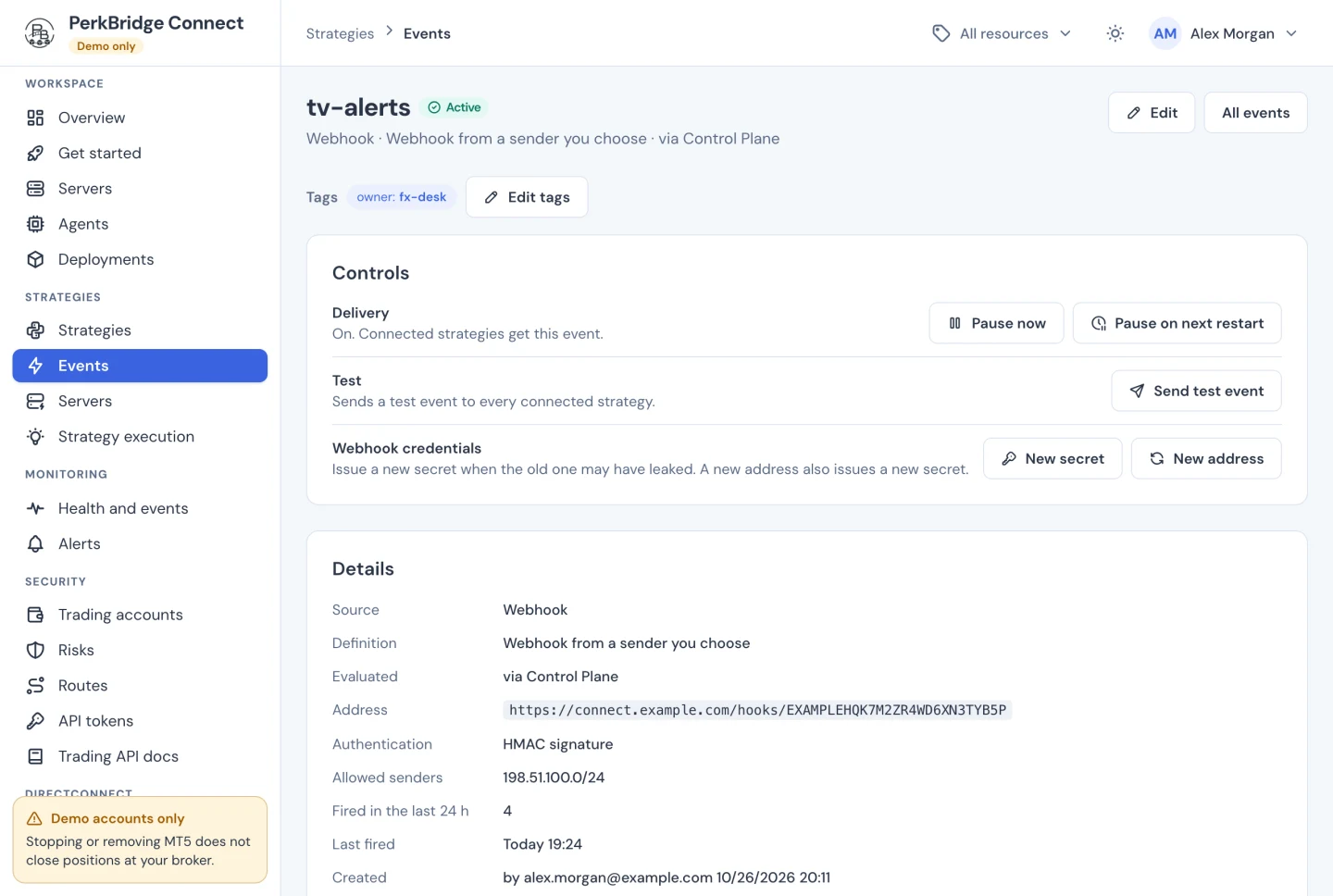
- Open Events, choose New event, source Webhook, and name it tradingview-signals.
- Choose how senders prove who they are (below). PerkBridge shows the address, https://your-control-plane/hooks/…, and, for HMAC or token, the secret once. Copy them.
- Connect the event to your strategy with the handler on_event (on the strategy's Spec tab, or in events of the strategy file).
- In TradingView, put the address in the alert's Webhook URL, and a JSON message such as {"action": "buy", "symbol": "{{ticker}}"}.
| AUTHENTICATION | THE SENDER MUST | USE FOR |
|---|---|---|
| HMAC | Sign each request: X-PerkBridge-Timestamp, optional X-PerkBridge-Event-Id, and X-PerkBridge-Signature: v1=<hex>, an HMAC-SHA256 of timestamp.event-id.body with the secret | Your own systems. The safest choice. |
| Token | Send Authorization: Bearer <secret> (only in the header, never in the address) | Tools that can set a header |
| None (new in 1.2.0-beta) | Nothing: any POST to the address is a delivery | Senders that can neither sign nor set a header, such as TradingView. The random address is the only secret; restrict it with Allowed addresses and keep it private. |
Test a webhook from a terminal. With Token:
With HMAC, from Python:
The strategy receives the body in on_event, as in section 3: ev.json() or ev.text. Every delivery is listed on the event's page, with its outcome, and can be replayed from there.
Run now, by hand or from a script
Connect a Manual event and the strategy's Overview gets a Run now button. The management API does the same with POST /v1/strategies/{id}/run and an optional body {"payload": {"flatten": true}}, which arrives as ev.data:
React to fills and halts
A Trading event lists the trading events it fires on, such as order.filled, position.closed and halt.updated. They are read from the strategy's own account feed inside the container, with no round trip:
Pausing events
On the event's page and the strategy's Overview, each connected event has Pause now (the running container skips it at once), Pause on next restart, Send test event and Disconnect. A changed schedule takes effect at the next restart; until then the Events page shows it as pending in that strategy. Hold strategy now stops all events and order placement of the strategy until you release it.
7. Create and start a strategy in the dashboard
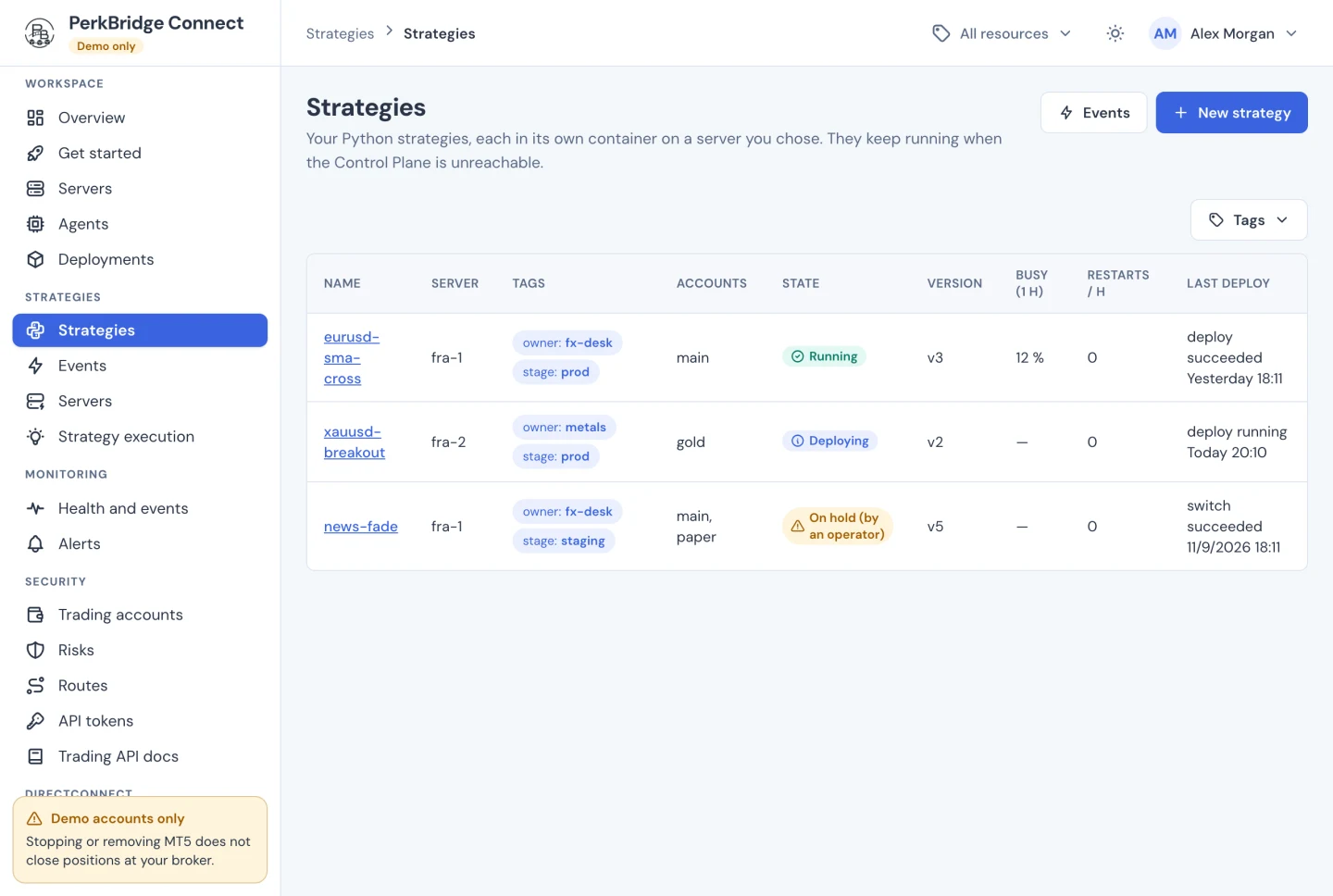
- Open Strategies (in the Strategies section of the menu) and choose New strategy.
- Give it a name and choose the server. Only servers with strategies switched on and an approved Python image are offered.
- Add the accounts: an alias, the account and the token mode (Read only or Full), and mark the default.
- Connect events, or define a new one.
- Fill in the parameters and secrets.
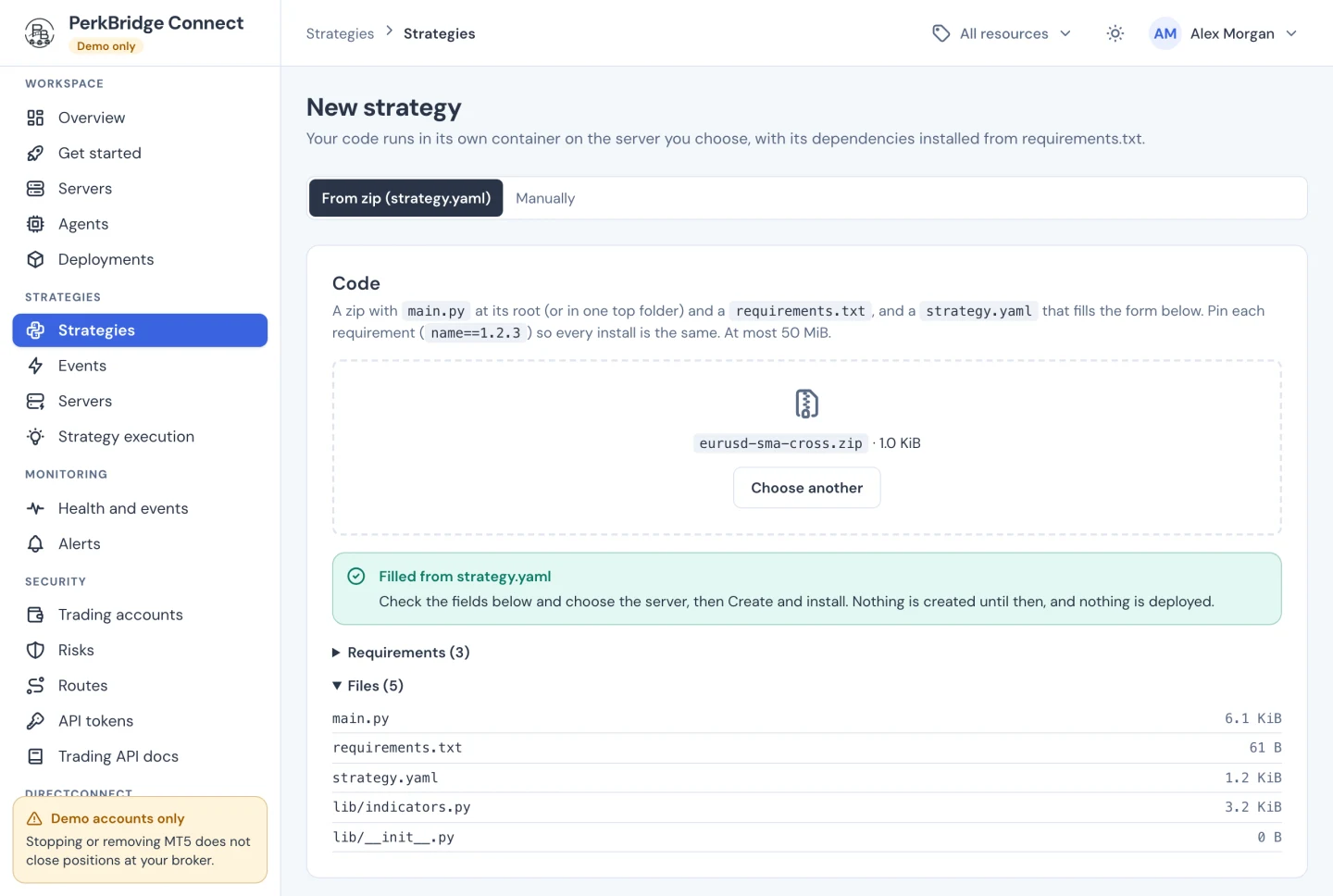
- Choose From zip (strategy.yaml) and upload the zip. The page lists the files and the requirements, warns about unpinned lines, and fills the form from the strategy file it found. Or choose Manually and fill the form yourself.
- Choose Create and install. PerkBridge installs the requirements on the server; then press Start on the Overview.
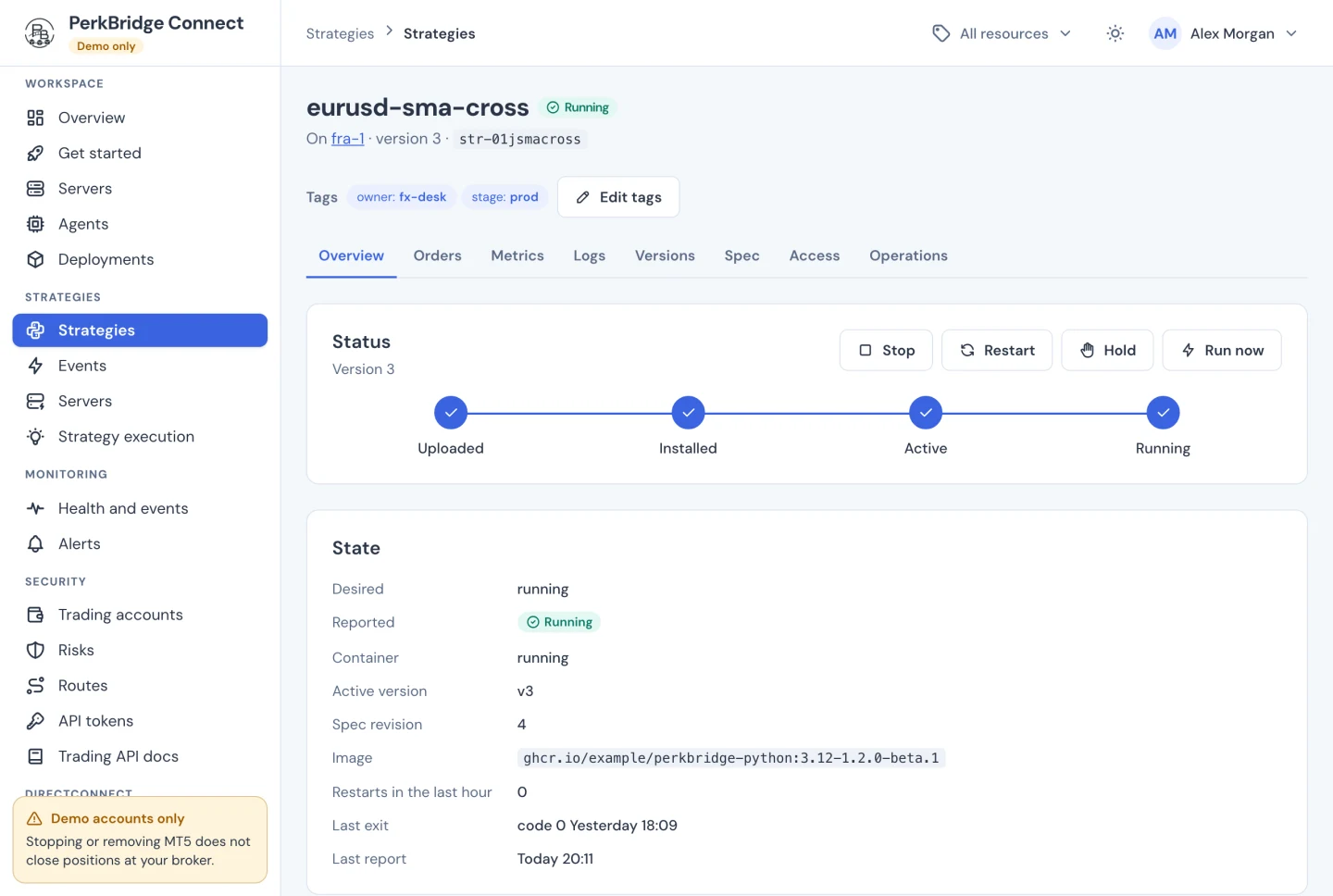
The strategy's page has these tabs:
| TAB | WHAT IT SHOWS |
|---|---|
| Overview | State (Uploaded → Installed → Active → Running), running version, spec revision, image, restarts, last exit, accounts and connected events, and the buttons Start or Stop, Restart, Hold or Release, and Run now. |
| Orders | Every order the strategy placed, across all its versions, with the version that placed it. |
| Metrics | Container (CPU, memory), disk, and the strategy itself: how busy the code is, API calls and errors per minute, last run. |
| Logs | The latest lines of your code's output, with a level filter and the number of lines. Times are UTC. Tokens are blanked out. |
| Versions | Each upload: uploaded, installed, active or retired; install log; switch and roll back. |
| Spec | The strategy file as a form or YAML, its revisions and a diff between any two. |
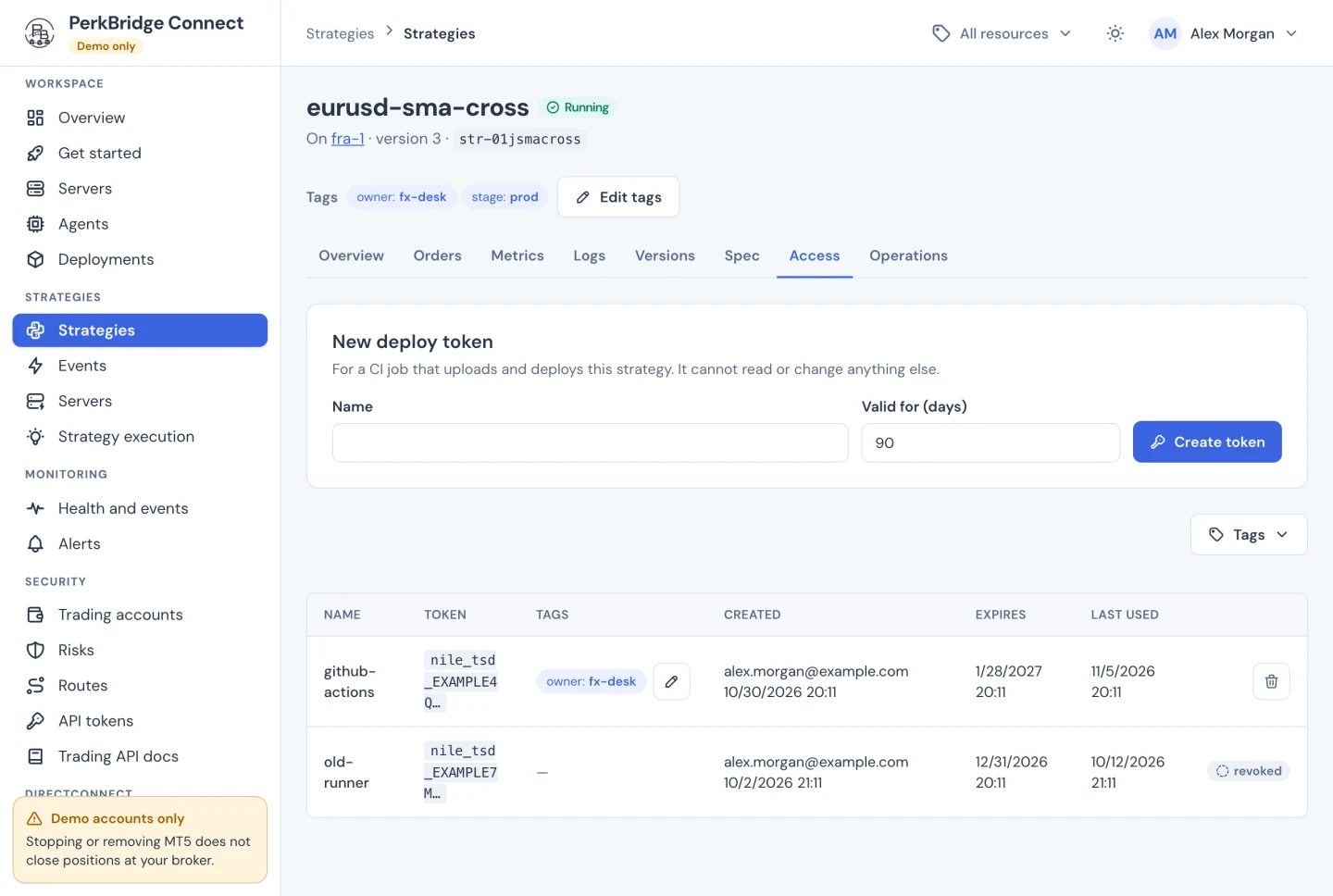
| Access | Deploy tokens for your CI pipeline (section 8). |
| Operations | Every operation on the server (install, start, stop, …) and its result. |
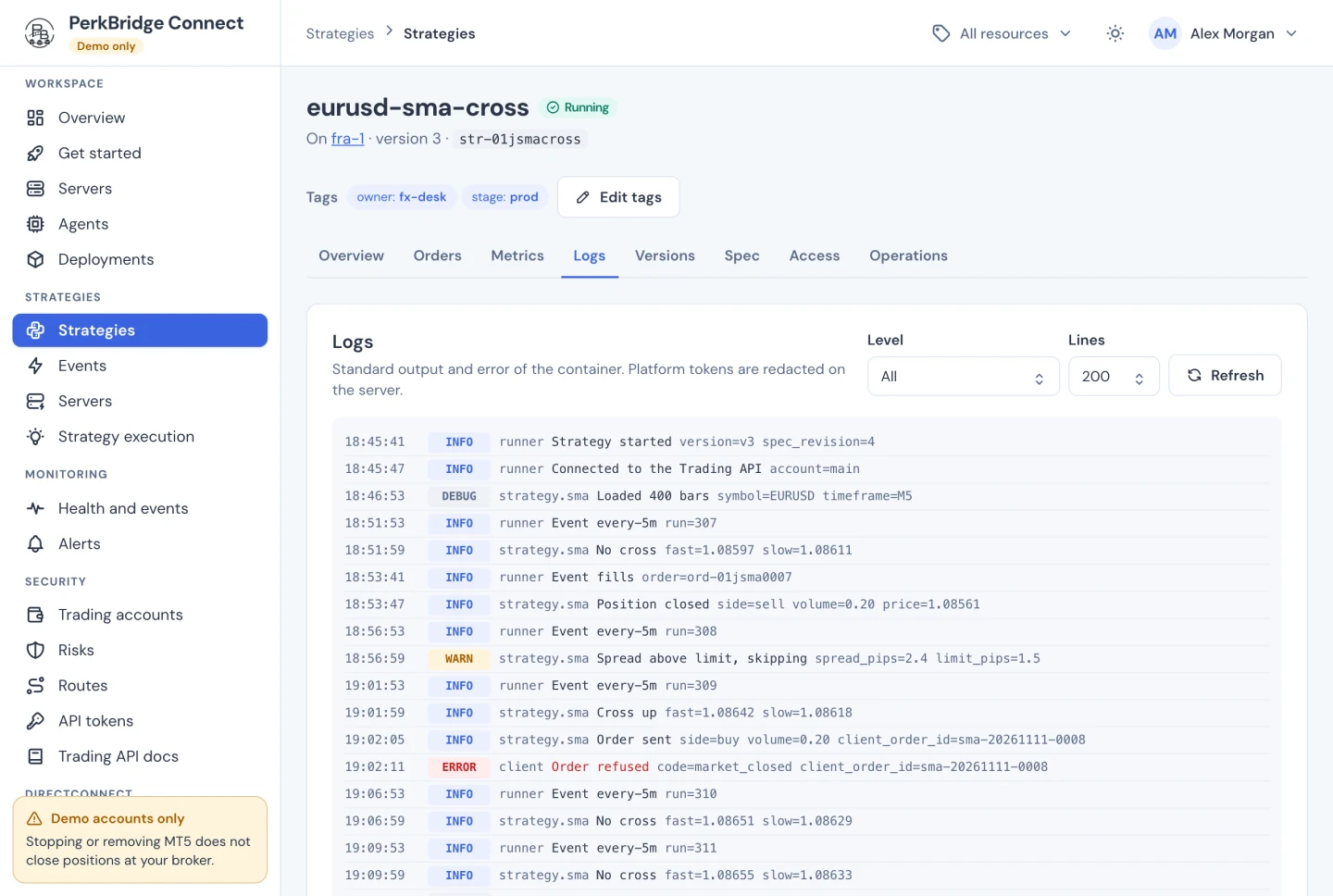
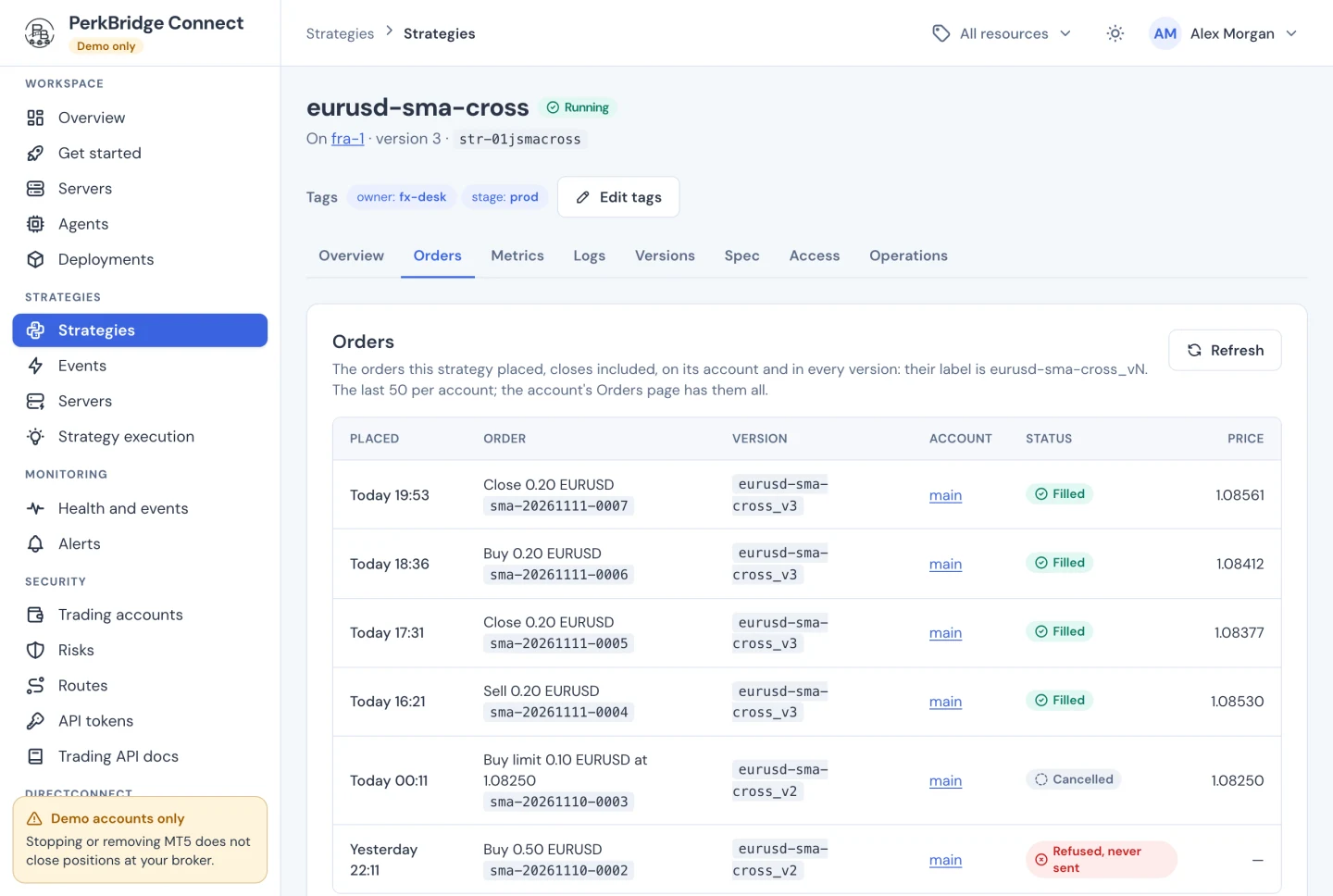
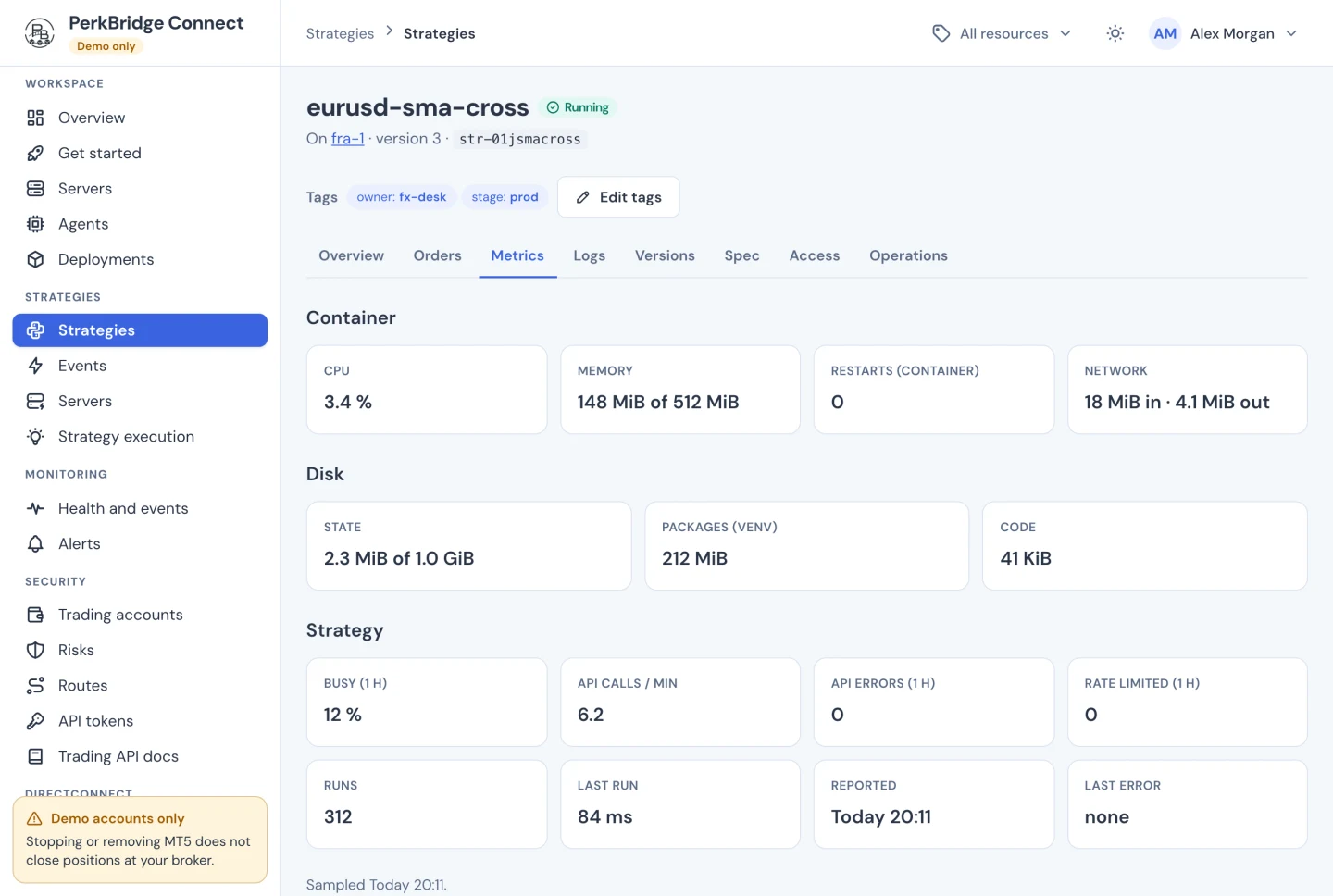
8. Versions, deploys and rollback
Each upload is a new version. A version is first installed (its requirements go into an environment of their own, next to the running version), then switched to, which restarts the strategy on it. If the install fails, the running version is untouched and the install log says why. To go back, switch to an earlier version on the Versions tab: it is still installed, so the rollback takes seconds.
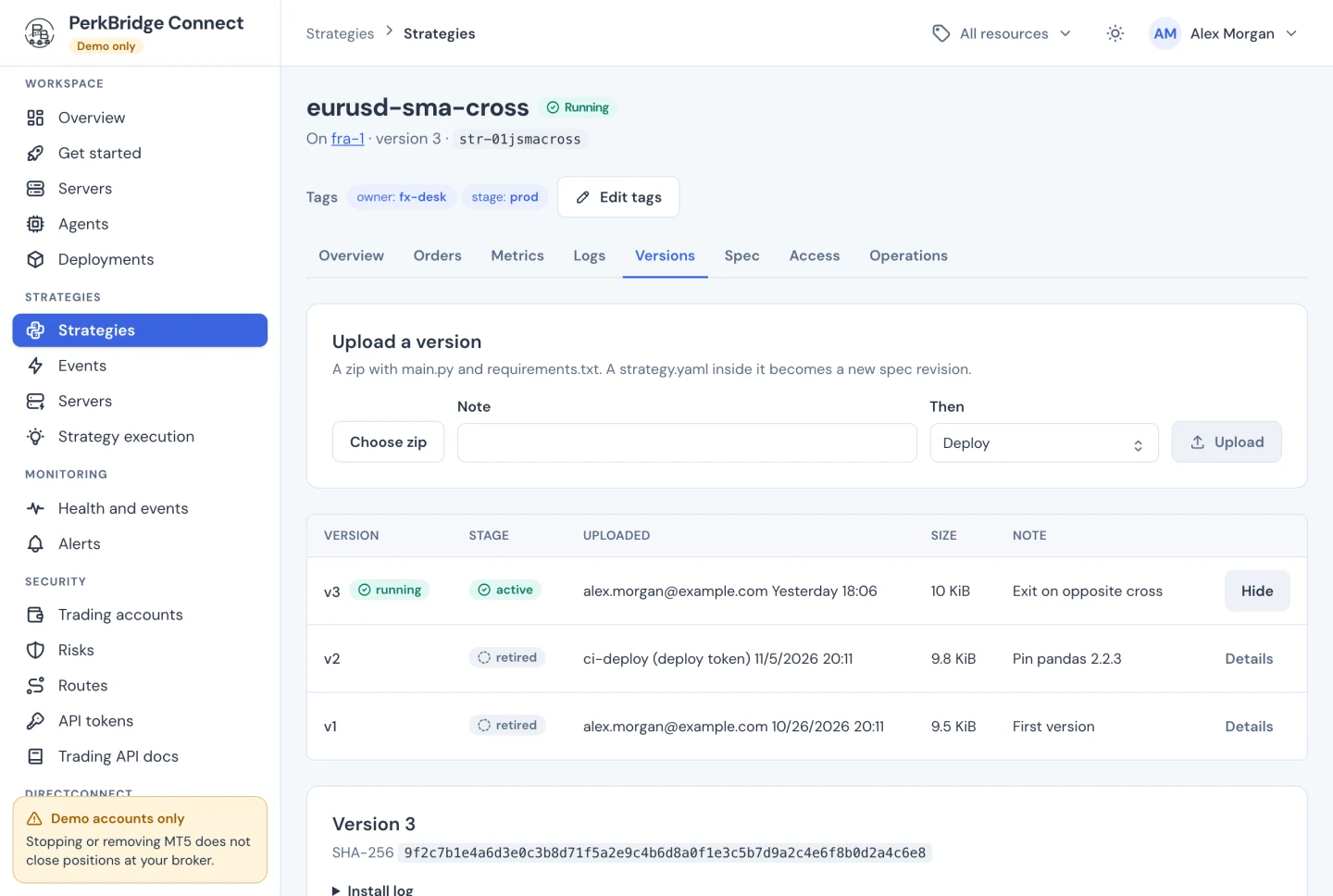
Deploy from your CI pipeline
Create the strategy in the dashboard once. Then, on its Access tab, create a deploy token (shown once) and store it as a secret in your CI system. A deploy token can only upload and deploy that one strategy; it cannot trade or read accounts.
Then read GET /api/v1/strategies/str-4k2m9q7x until last_deploy.state is final. A GitHub Actions job:
9. Restarts and exit codes
The server watches how main.py ends:
| EXIT CODE | WHAT HAPPENS |
|---|---|
| 0 | Finished. Not restarted. |
| 75 or 78 | On hold: orders need reconciling, or access to an account was withdrawn. Not restarted until someone releases the hold. |
| 77 | The token expired: restarted at once with fresh tokens. |
| Anything else (a crash) | Restarted after 10 s, 30 s, 2 min, then every 5 min, up to restart.max_per_hour; then Failed. With restarts off, Failed at once. |
Strategies keep running when the control plane is unreachable, and schedules and trading events keep firing. When it is back, the logs, metrics and webhook deliveries catch up.
10. Safety rules
- Stopping, restarting or removing a strategy never closes positions or cancels orders.
- Every order of a strategy passes the account's risk rules and the emergency stop, like any other order.
- A strategy can only use the accounts in its strategy file, with the token mode given there, and only if the person who added them may use them.
- Secrets are encrypted at rest, sent sealed to one server, and never shown again or written to logs.
- Your code runs as an unprivileged user in a read-only container, without the Docker socket.
- A strategy in dry trading mode cannot open exposure (section 11).
11. Trading mode: live or dry
Since 1.2.8-beta every strategy has a trading mode, live or dry. A live strategy trades as before. A dry strategy cannot open exposure: the control plane refuses every opening order sent with the strategy's own tokens with 409 strategy_dry_mode. No order is stored, and the refusal does not count towards the account's automatic stop. Modifying a resting pending order is refused the same way. Closing positions, cancelling orders and changing the stops of open positions always work.
- Existing strategies stay live. Every strategy created before the mode existed is live, and a new strategy is live unless it is created as dry.
- Switching. The dashboard has no switch yet. Use PUT /api/v1/strategies/{id}/trading-mode with {"trading_mode": "dry"} or "live", from a dashboard sign-in. To dry needs strategy:manage. To live also needs a recent sign-in, "confirm": true, and "confirm_real_accounts": true when an account the strategy uses has not reported itself as a demo account. A deploy token cannot switch. Every switch and every refused order is audited.
- What it does not cover. An order accepted before the switch to dry may still be sent, and a pending order already resting stays at the broker. The mode applies to the strategy's own trading tokens only, not to another trading credential you put in a secret parameter.
- Not your code's own dry run. A dry-run switch in your strategy's code is your code's choice; the trading mode is enforced by the platform, whatever the code does.
A strategy can read its own mode with its own token, so it never sends an order that would be refused:
It is read fresh on every call, so a switch shows on the next read. Only a token the platform gave a strategy is accepted (403 for any other token or a session), and a strategy that was removed, or is being removed, answers 404. label is the order label of the token's strategy version.
Next: protect the positions your strategy opens with a trailing stop or take-profit ladder, in Position protections.